Start and end the trip with an odometer photo
The trip starts and ends in the app. The odometer photo is what makes billing possible — and it is also what means nobody in the group has to remember numbers for anyone else.
The journey from booking to finished trip
Five screens from the app, in the order you meet them.
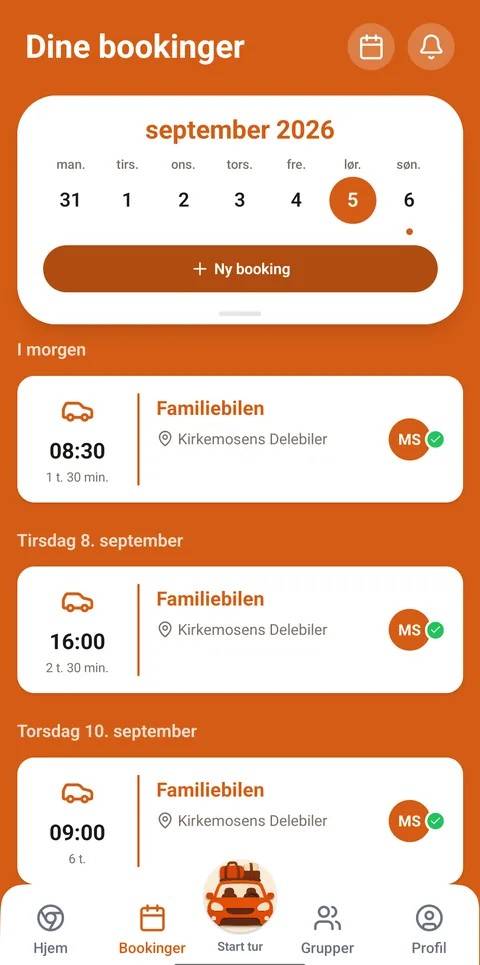
See the group's calendar Bookings are collected in one place. A new booking starts here.
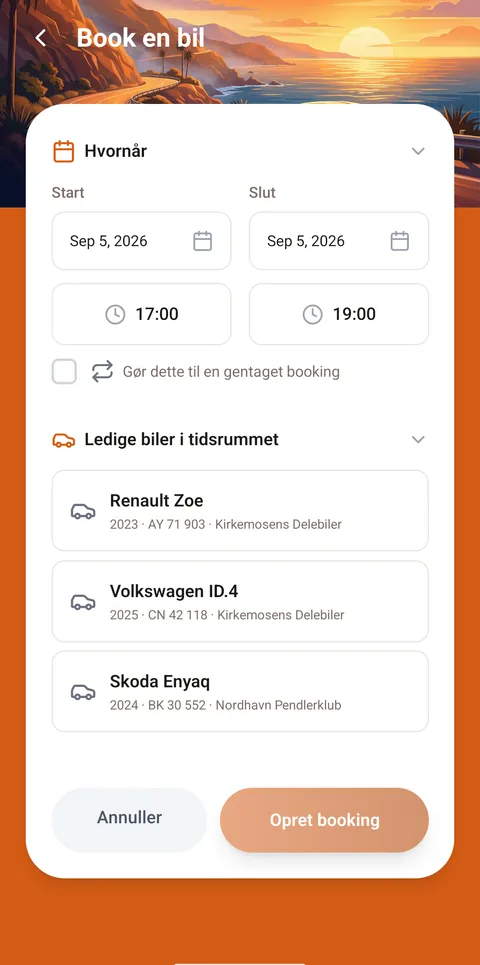
Choose car and period The cars free in that period are listed below, so you can see what is left.
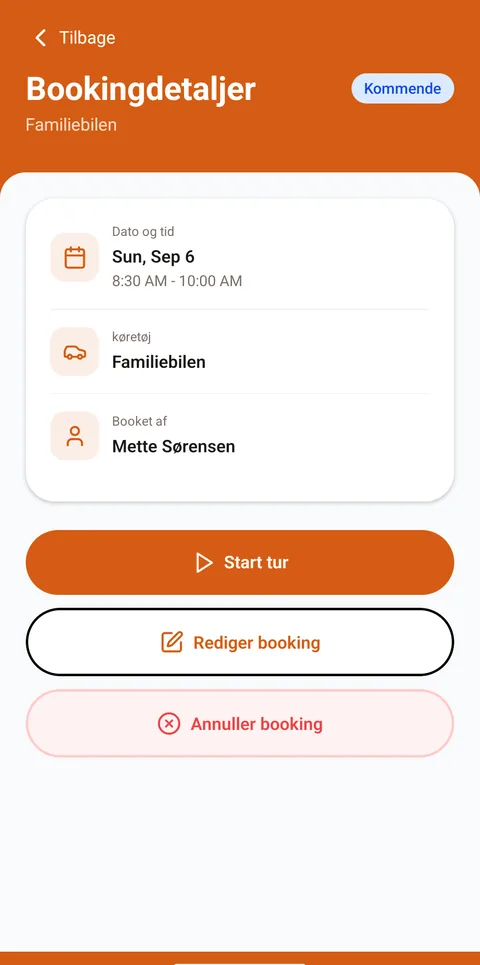
The booking is in the calendar Now the others can see the car is taken. The trip starts from the same screen.
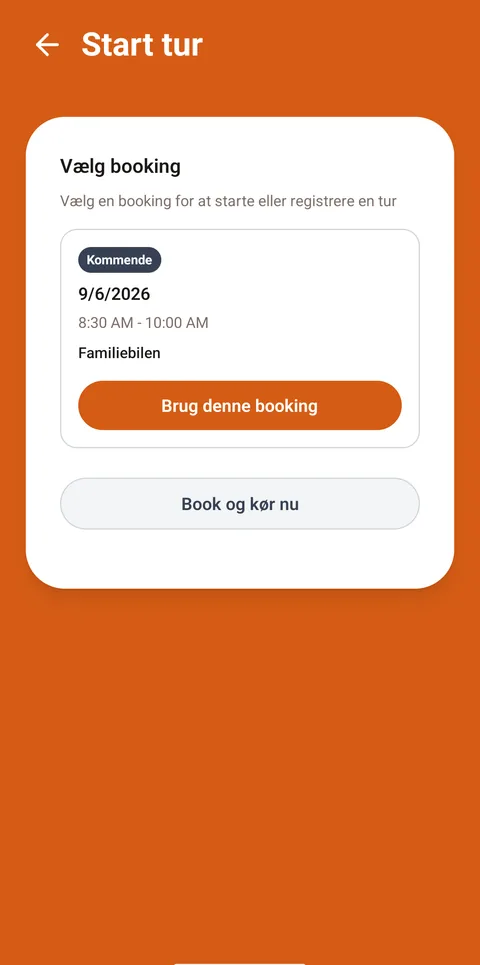
Start the trip at the car Pick the booking you are there for, and start the trip.
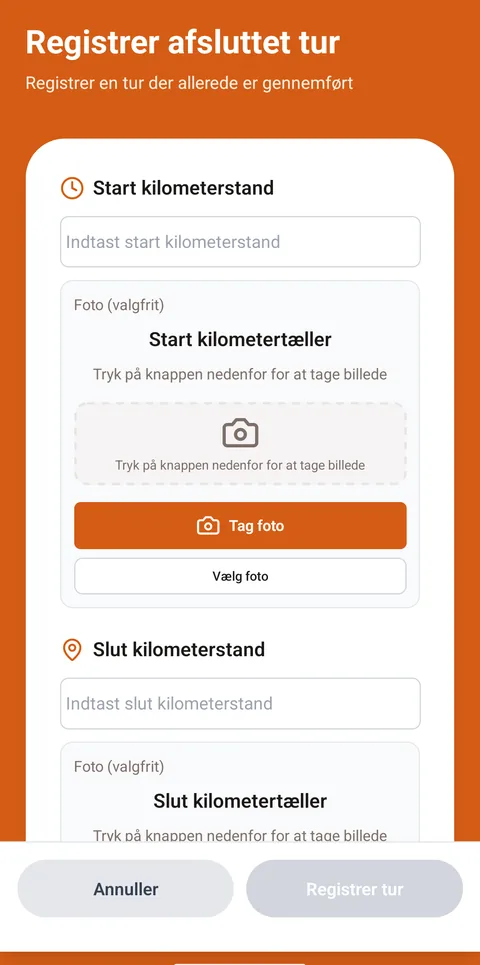
Read the odometer Number and photo at both start and end. Billing is built on those.
How to do it
Start the trip in the app
Do it when it is your turn and you are standing at the car.
Read the odometer
Enter the number and take a photo of the odometer.
Drive
The car is yours for the period you booked.
End the trip the same way
Read the odometer again and take a photo. The trip is then closed.
Afterwards
The trip appears in your trip history with the kilometres driven. Those are the figures the group's billing is based on — see How you are charged.
Didn’t find the answer?
Tell us what you were looking for. We fix the guide — and reply if you leave your email.